Part 1 — Buying passes
One payment, any number of passes. Takes about a minute.
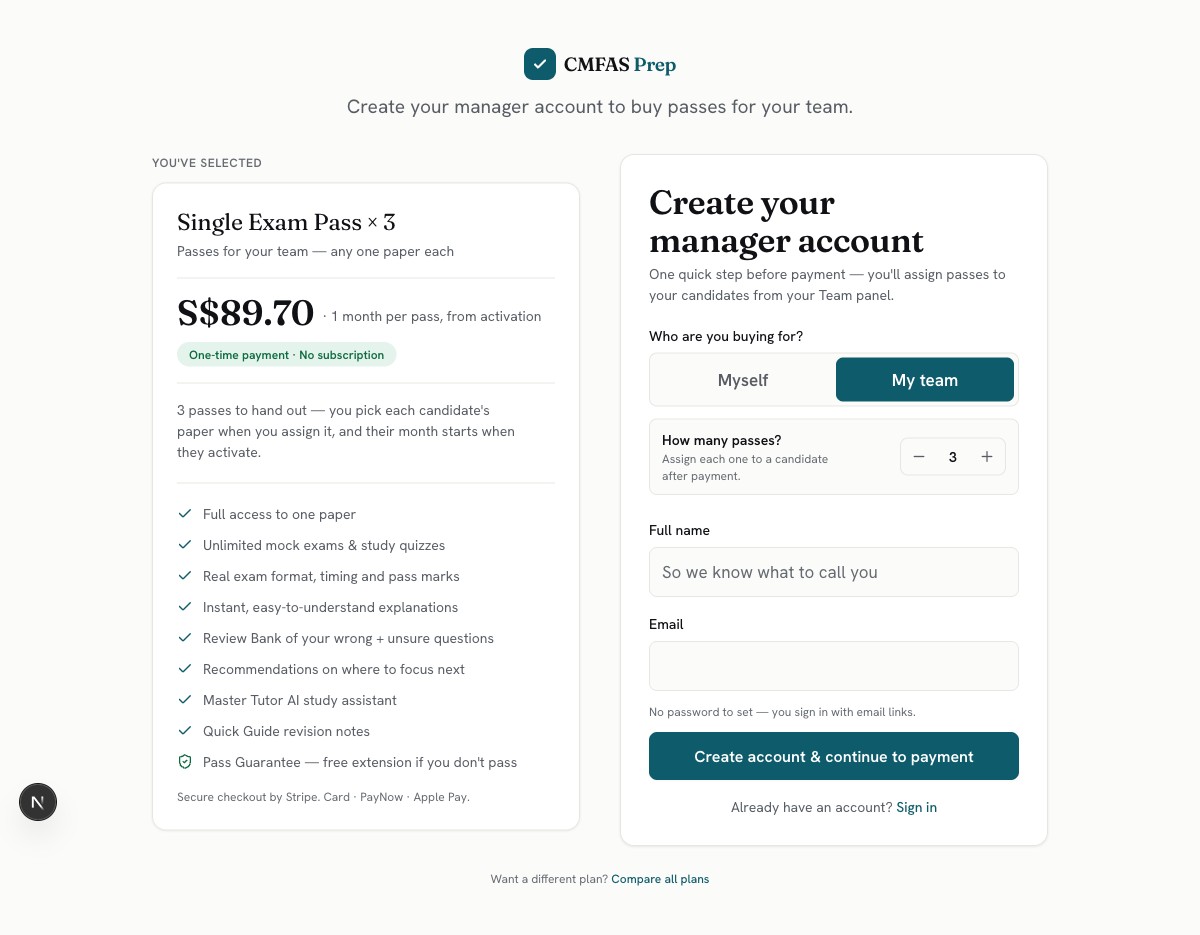
Pick “My team” and how many passes
This is the buy page. Under “Who are you buying for?”, choose My team and set how many passes you need — 3 here. Don't worry about exam papers yet; you pick each person's paper later, when you hand their pass out. Your account is just your name and email. There's no password to set — you'll sign in through your email from now on.
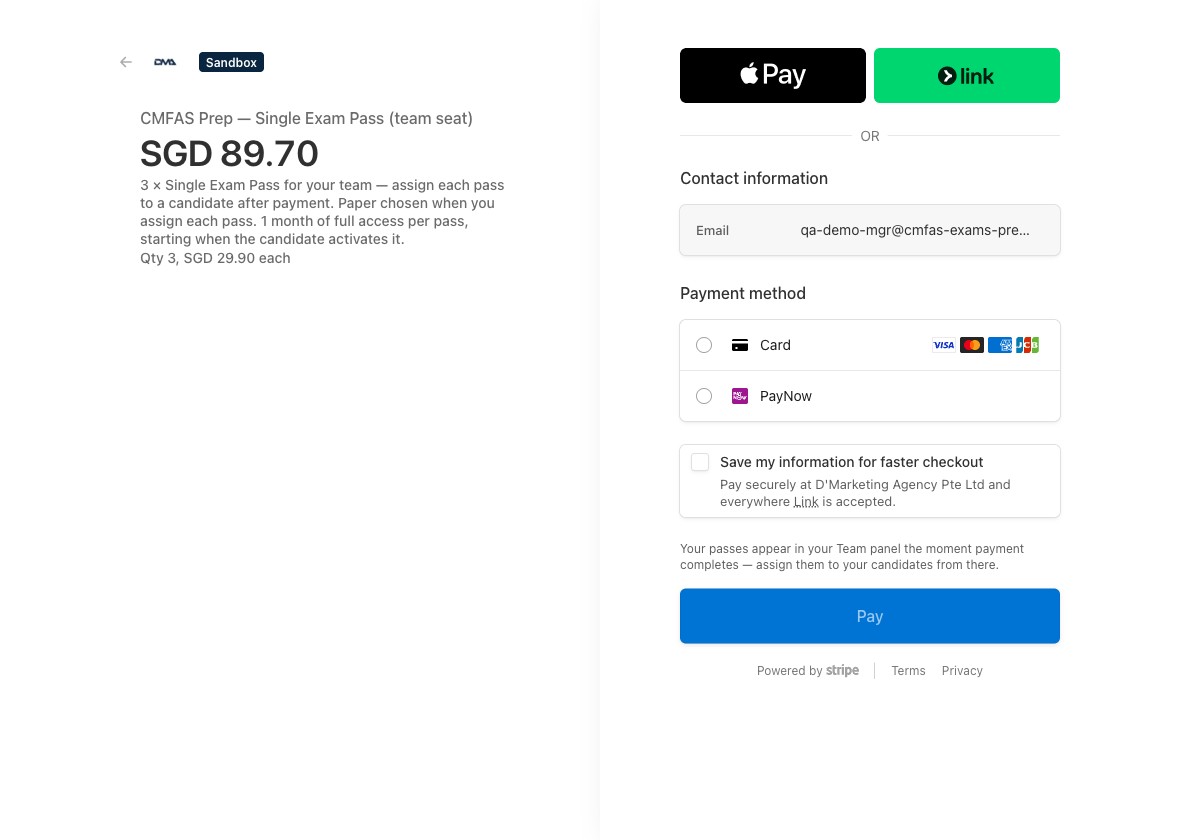
Pay once
One payment covers everything: 3 passes × S$29.90 = S$89.70. Card, PayNow or Apple Pay. This screenshot is from our test setup — your receipt says CMFAS Prep.
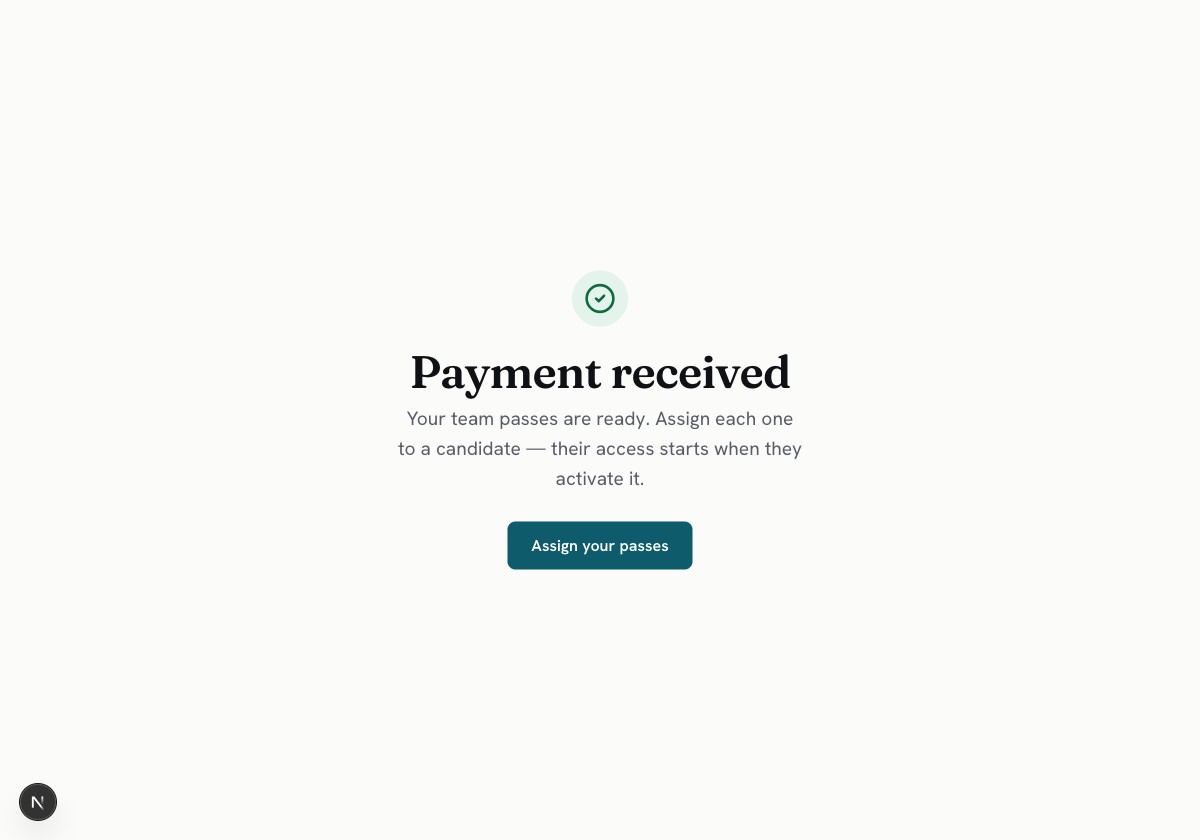
Your passes are ready
The moment payment goes through, the passes are waiting on your Team page and a receipt is in your inbox. One button takes you there.
Part 2 — Handing passes out
One person per pass, invited by email. Ten seconds each.
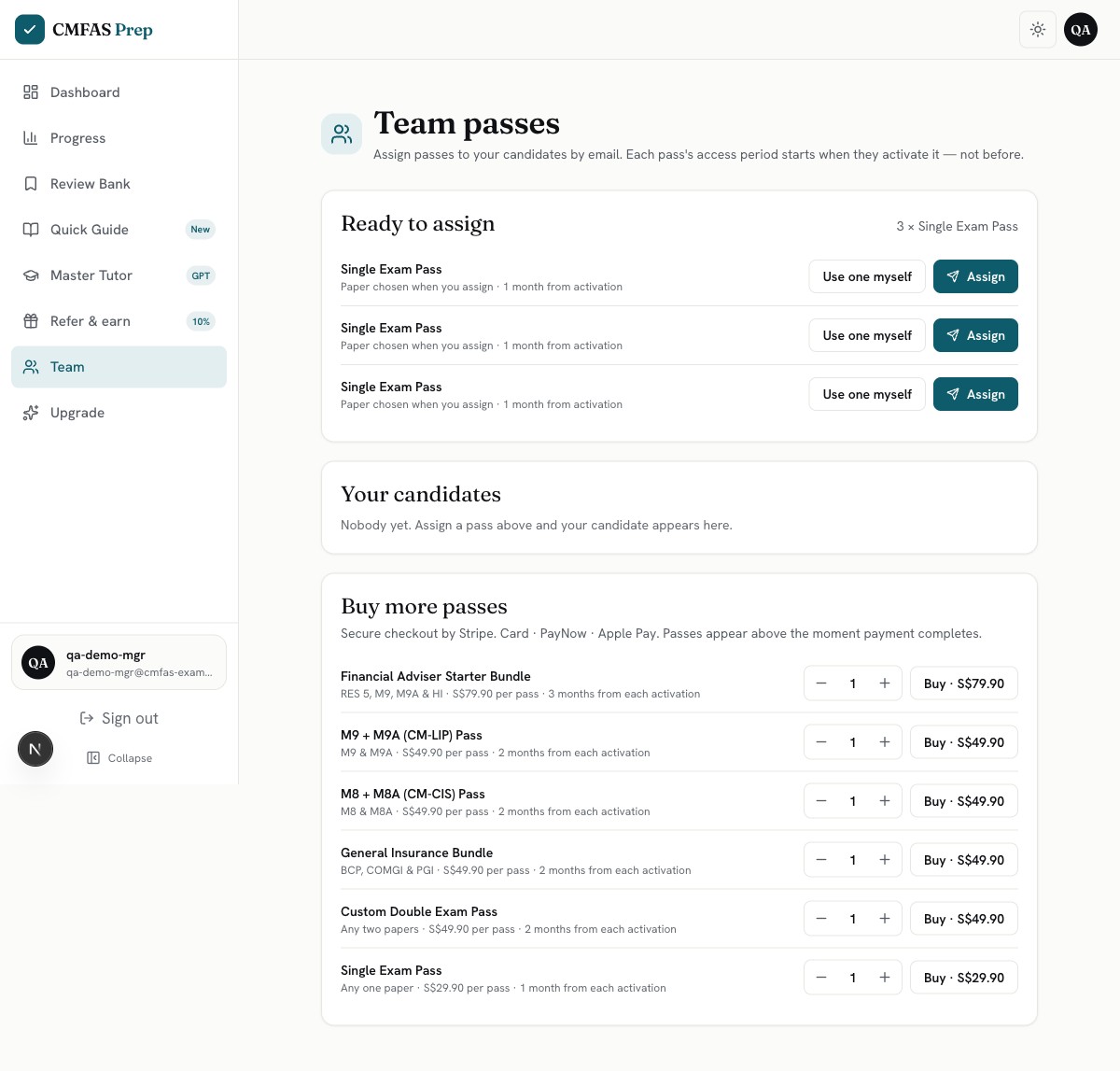
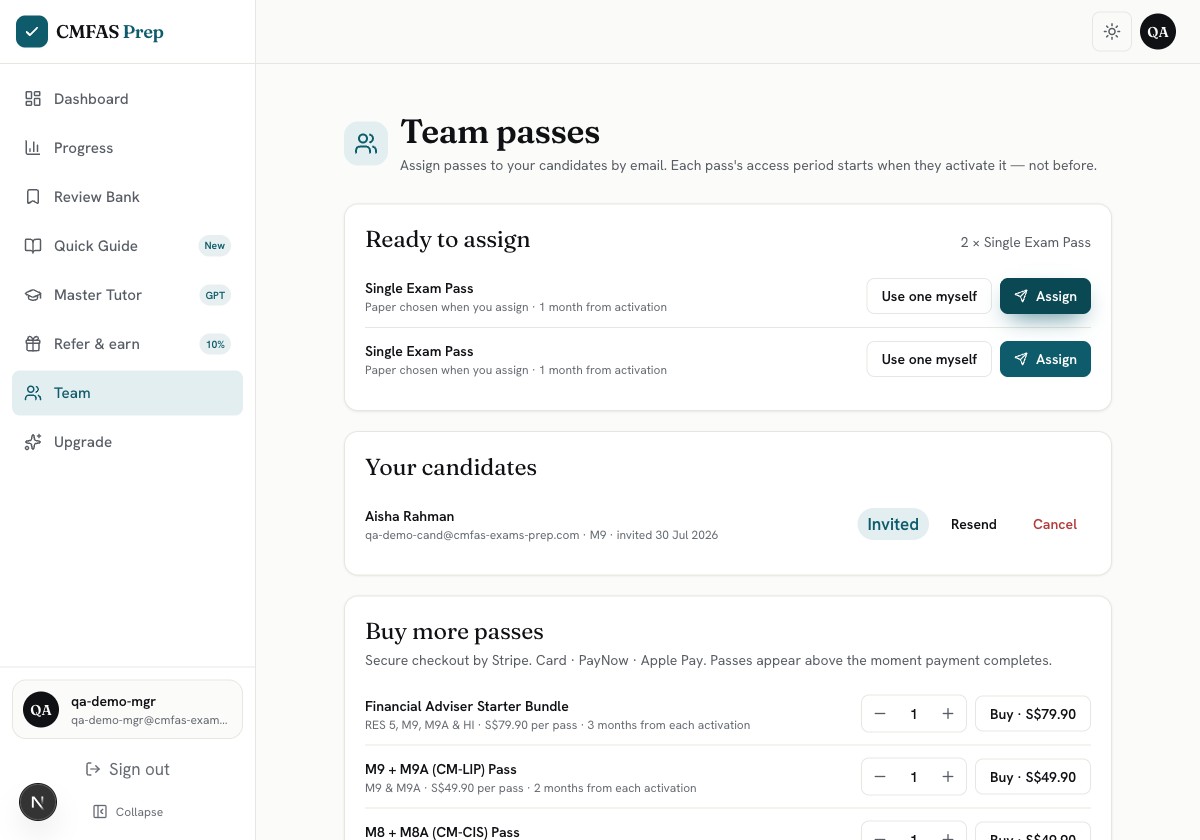
Your Team page
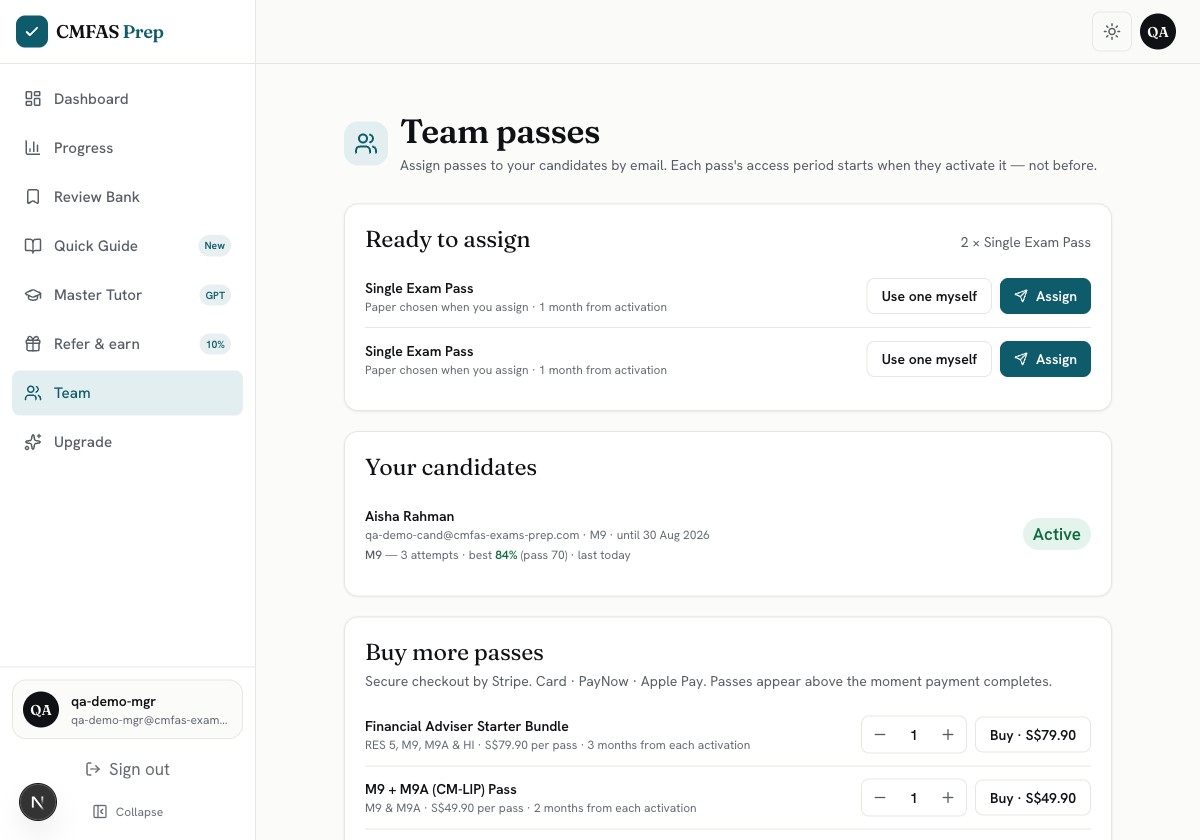
Everything happens on this one page. Top: passes you haven't handed out. Middle: the people you have. Bottom: buy more when you need them. “Team” now sits in your sidebar too — your candidates never see it.
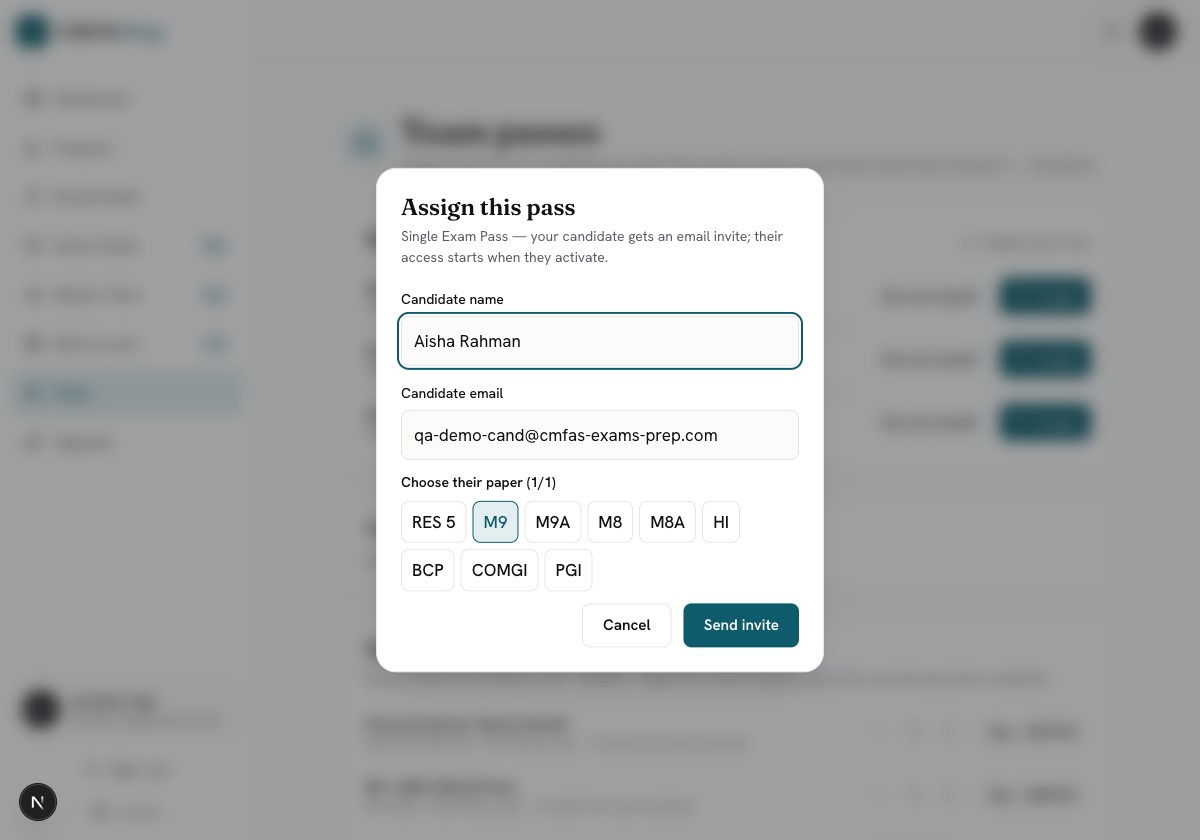
Assign a pass: name, email, paper
Click Assign. Type their name and email, tap the paper they're sitting — M9 here — and press Send invite. Done. If you try to invite yourself, or someone who already has that paper, the app stops you and says so. You can't waste a pass by accident.
They show up as “Invited”
Aisha now sits under Your candidates with an Invited tag. Wrong email? Press Cancel — the pass goes back into your pile. No reply after a few days? Press Resend — a fresh invite goes out and the old link stops working.
Part 3 — What your candidate gets
One email, one click, one name. They're studying inside a minute.
The invite, in their inbox
This is the exact email they receive: your name in the subject line, what you've given them, one button. It also tells them two things straight — their study month starts only when they activate, and you'll be able to see their practice progress on this paper.
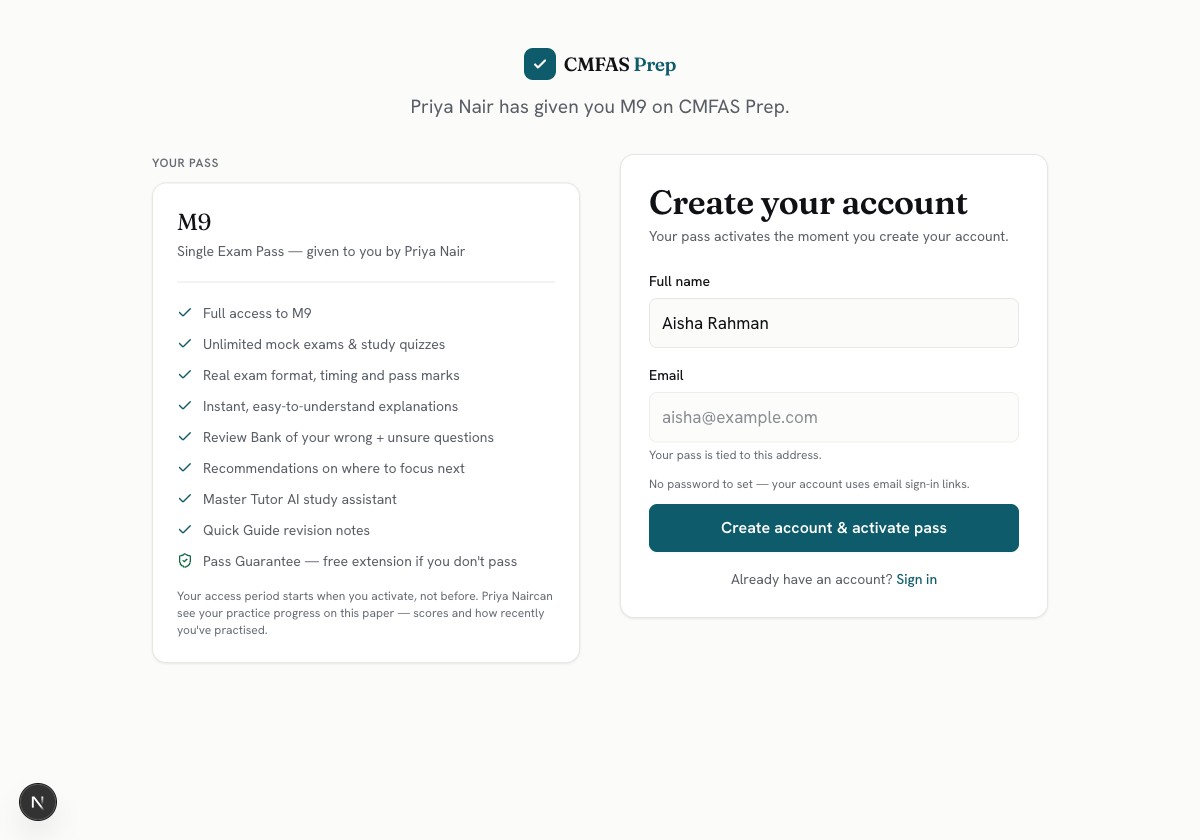
One page, one name field
The button opens this page. Their email is already filled in and locked, so the pass can't land on the wrong account. They type their name and press the button — that's the whole signup. No password.
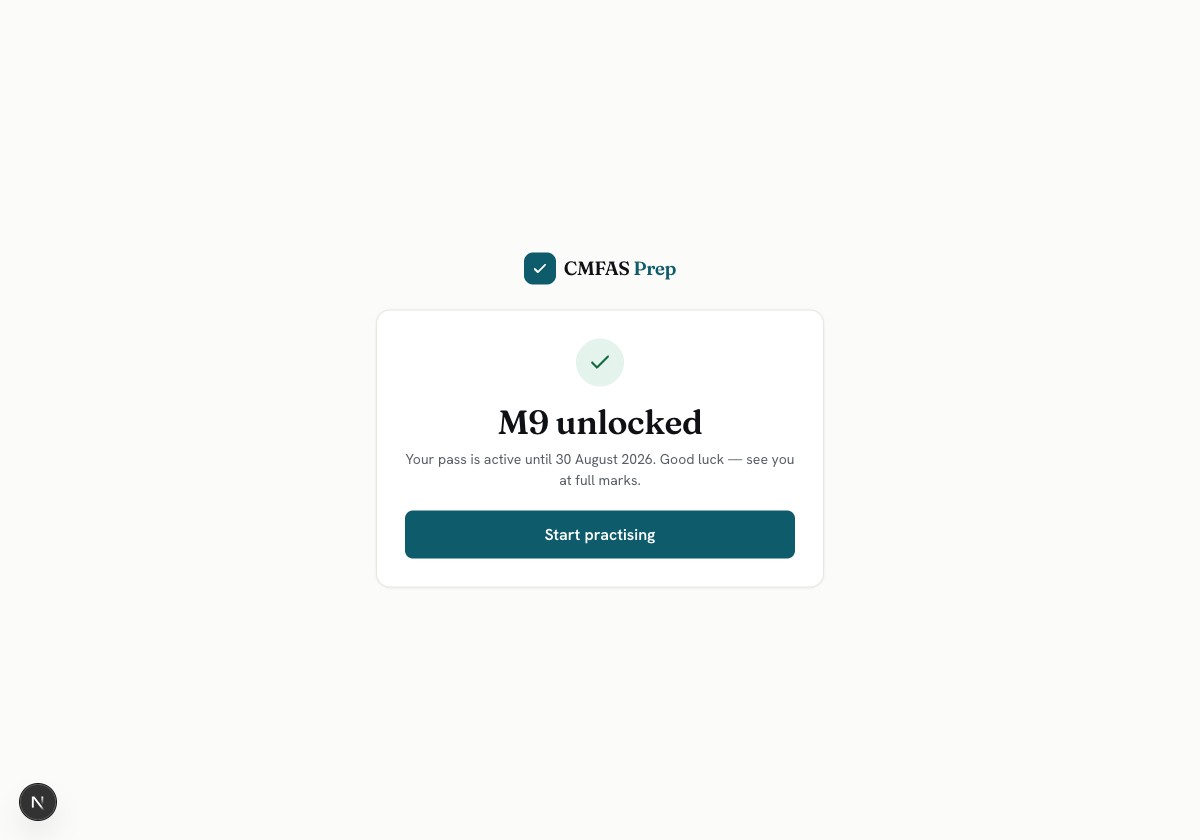
The paper opens on the spot
“Active until 30 August 2026” — one month from this moment, not from the day you paid. So passes waiting in your pile lose nothing, and nobody's study time burns while they're on holiday.
Part 4 — Watching their progress
You'll know who's practising without asking anyone.
Progress, right under each name
Once someone activates, a progress line appears under their name: “M9 — 3 attempts · best 84% (pass 70) · last today”. The score turns green once it clears the real pass mark — green means ready for the exam. “No practice yet” or “last 12d ago” tells you who needs a nudge. You also get an email each time someone activates, so there's no need to keep checking. You see progress on the papers you paid for, and nothing else about their account.
Part 5 — Your account
Your email is your key. There's nothing to remember.
Signing in next time
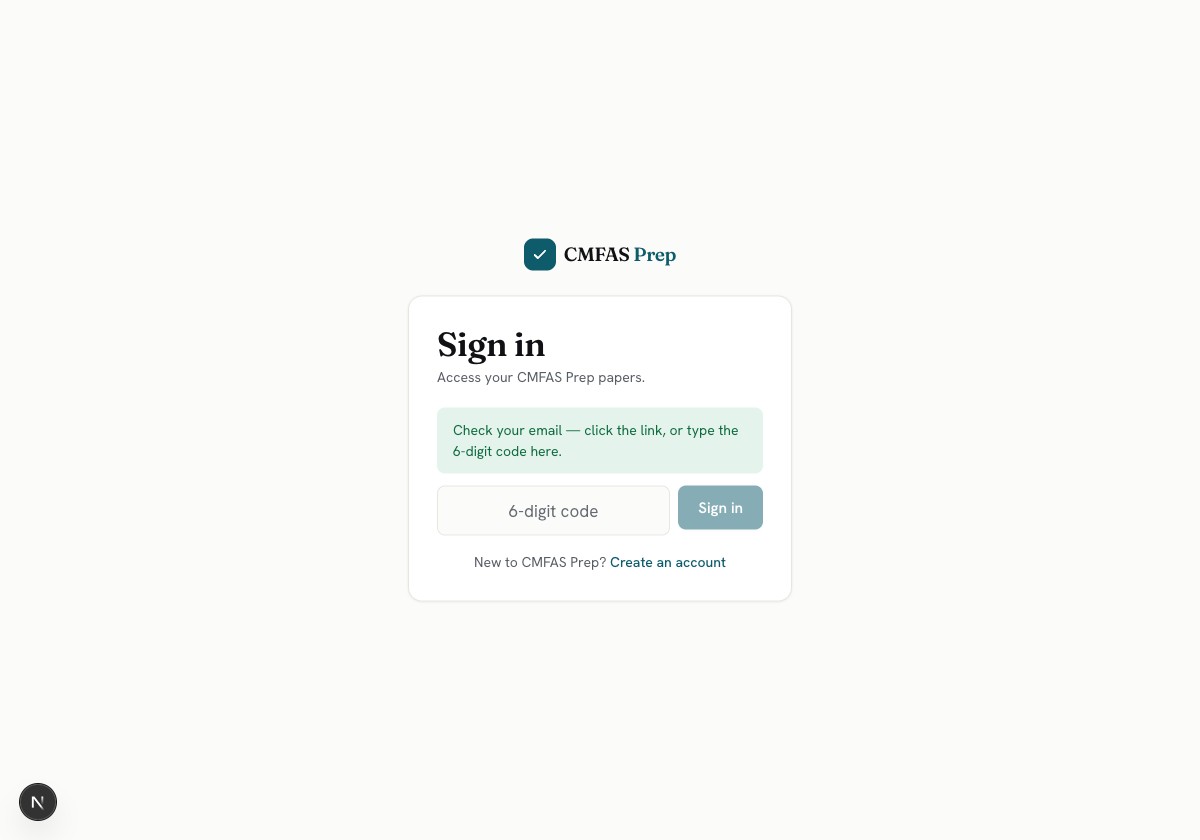
Type your email and check your inbox. Click the button in the email — or, if you're reading it on your phone while your laptop waits, type the 6-digit code into this box instead. If you were halfway through buying something, you land straight back on the payment page. Rather have a password? There's a small option for that too.
Common questions
When does a pass start counting?
Only when the person activates it. Buy five today and hand them out over the next two months — nobody loses a day. Passes sitting in your pile never expire.
What do passes cost?
Same prices as buying alone: one paper S$29.90 for 1 month, two-paper sets S$49.90 for 2 months, the four-paper Financial Adviser Starter Bundle S$79.90 for 3 months. You pay once — no subscription. Every pass includes everything: mock exams, explanations, the Review Bank, the Master Tutor AI assistant and the Pass Guarantee.
When do I pick the exam paper?
When you assign the pass, not when you buy. Buy first, decide later. The fixed sets, like the Starter Bundle, always cover their own papers.
What if someone already has that paper?
The app blocks the assign and tells you — “aisha@… already has M9 until 30 Aug”. Your pass stays in your pile; pick a different paper or person.
Can I take a pass back?
Before they activate, yes — Cancel puts it back in your pile. After they activate, no. It's theirs.
Can I use a pass myself?
Yes. Press “Use one myself” on any spare pass and it opens on your own account straight away. Managers sit these exams too.
What can I see about my candidates?
Their attempts, best score against the pass mark, and when they last practised — on the papers you paid for. Nothing else. The invite tells them this before they accept.
Will my candidates see team-buying options?
No. Your people get a normal, clean student account. Team buying only appears for people who run a team.
What emails does everyone get?
You: a receipt when you pay, and a note each time someone activates. Them: the invite, a welcome, and reminders before their access ends. Reply to any of them and a person answers.